
Please read the following notes before sending:
- When withdrawing cryptocurrencies using MAX, please refer to: Withdrawal Limits, Withdrawal Fees, Virtual Asset Transfer Rules (Travel Rule) Implementation Notice, and Travel Rule FAQ.
- Withdrawal fees are dynamically adjusted according to market conditions; please refer to the amount displayed on the withdrawal screen.
- If you have enabled the “Pay fees with MAX Token” feature, please ensure that your MAX Token balance is sufficient. If the balance is insufficient, fees will be calculated in the original token.
Please note:
- Cryptocurrencies have various mainnets and address formats. Before sending, please make sure that both the network and address format match those of the recipient. If this is your first time, it is recommended to send a small test amount first and transfer the remaining assets after confirming success.
- Due to the irreversible nature of blockchain transactions, completed transfers cannot be reversed or canceled. Please double-check that the receiving address and network are correct.
- Before sending XRP, please confirm with the recipient whether a MEMO is required. Providing an incorrect MEMO will result in transfer failure.
Mobile Operation Steps:
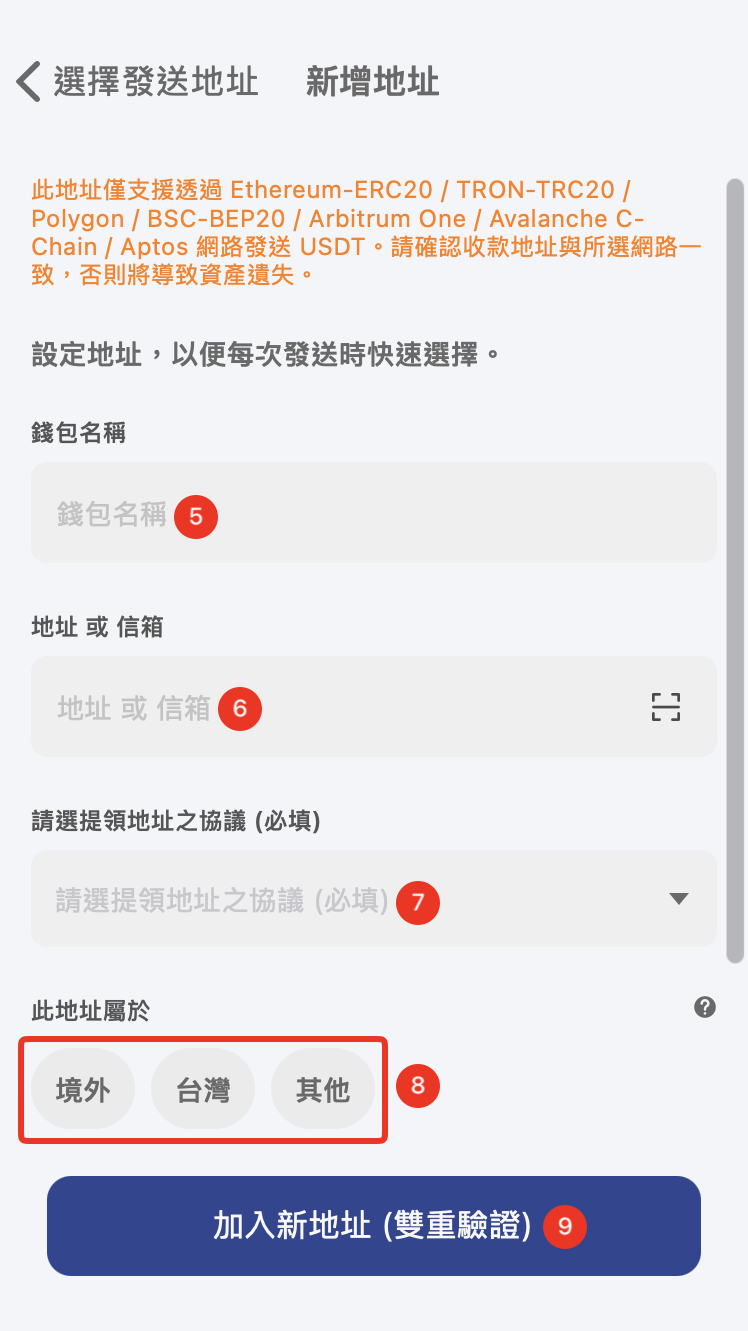
- Open the MAX app, tap Wallets > USDT > Send > select the withdrawal address.
- Tap Add Address > enter the address information and carefully verify all details > tap Add New Address.
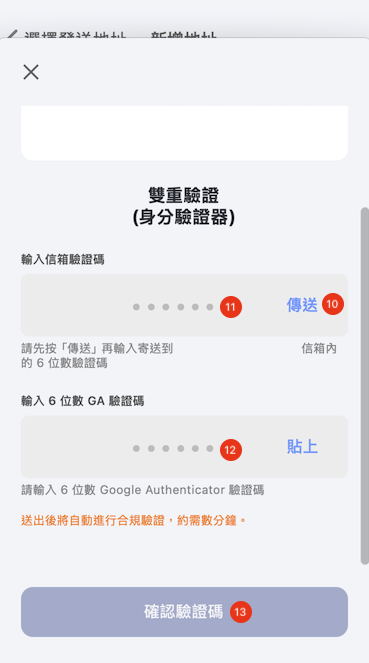
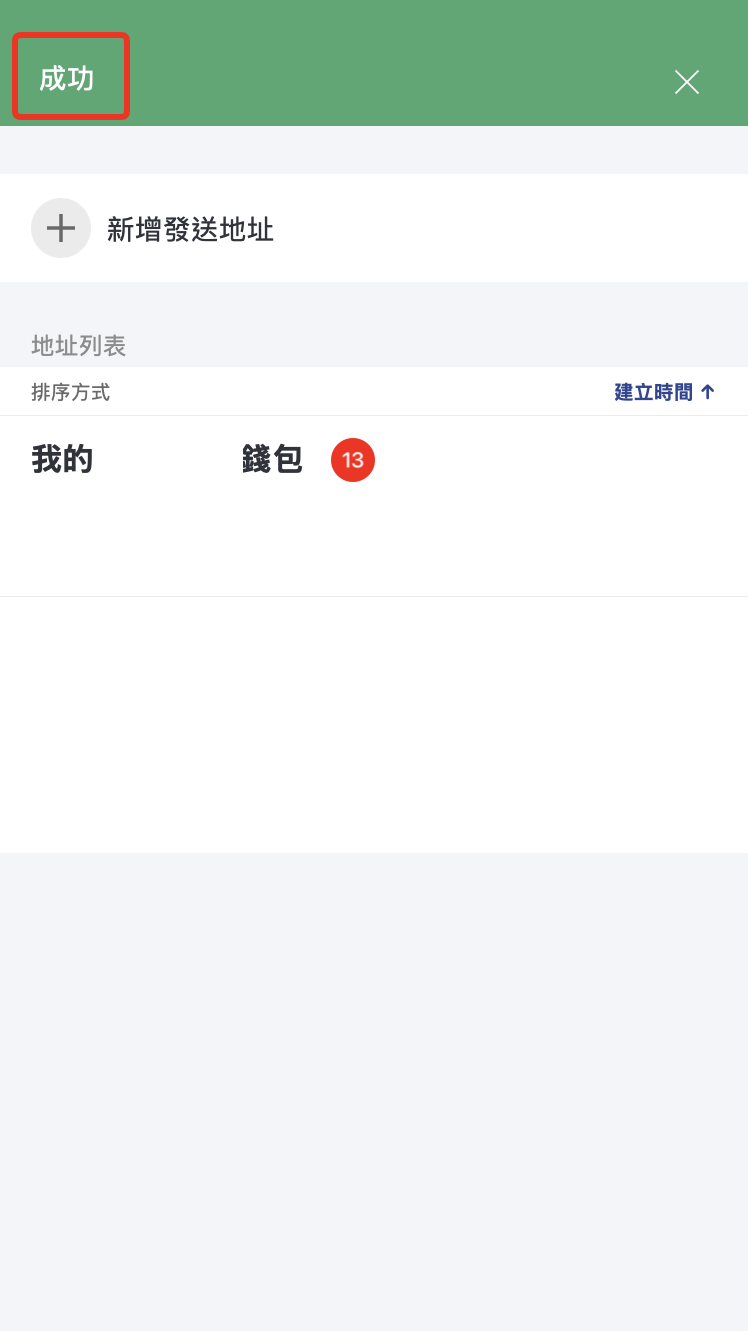
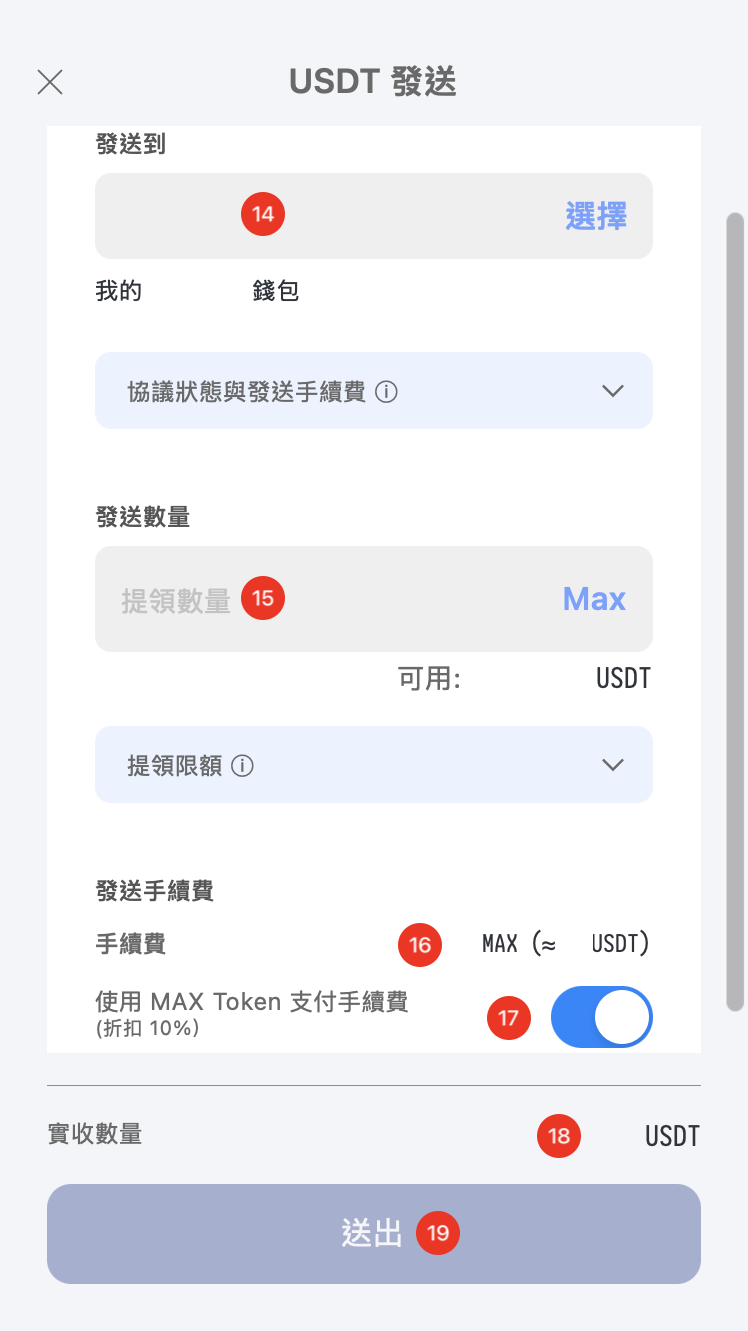
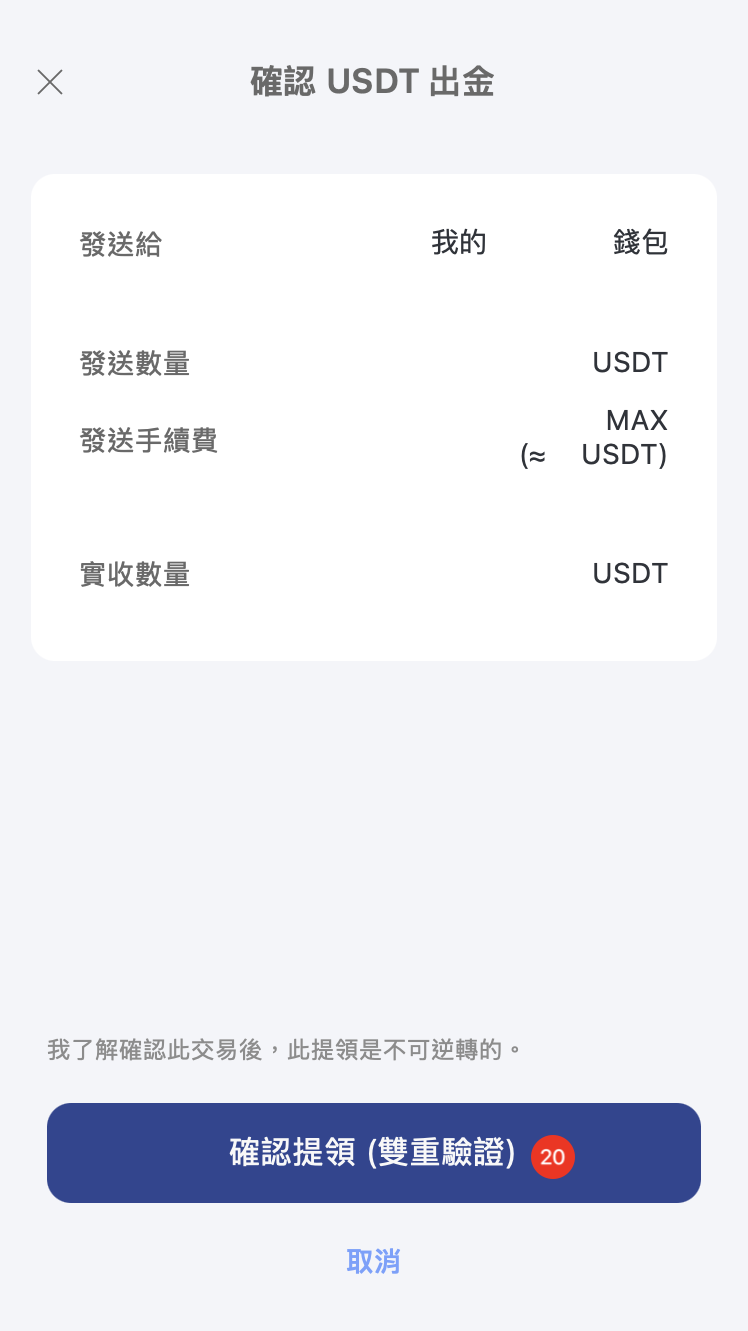
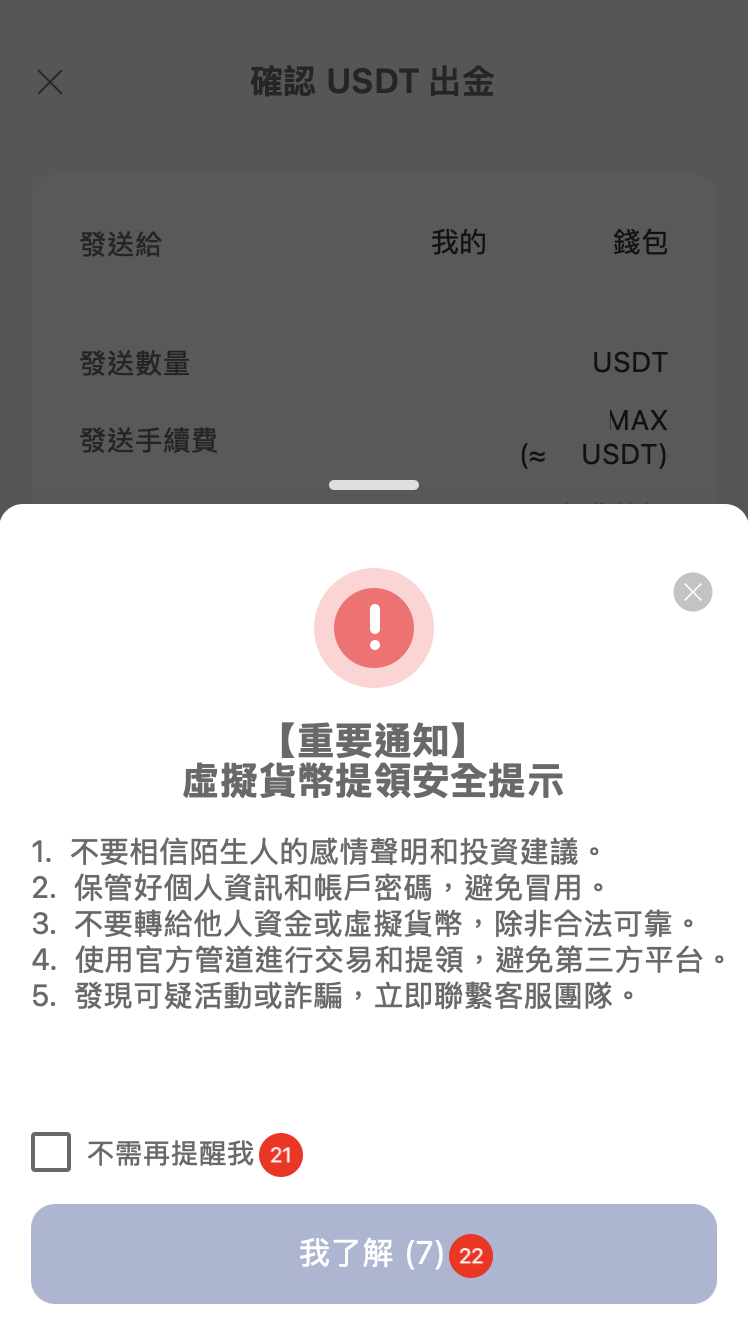
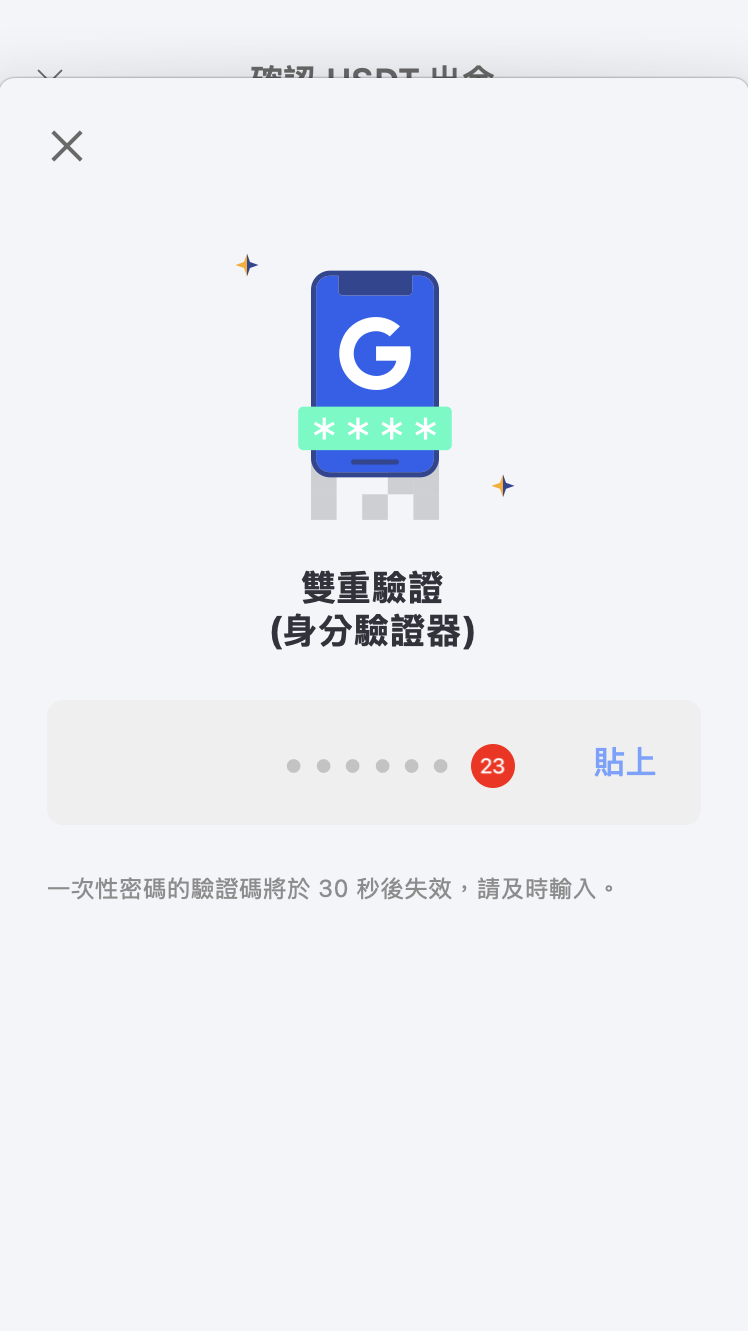
- Complete two-factor authentication (2FA) to finish adding the address. Tap the destination address > enter the amount to send > confirm the Received Amount below > tap Submit > Confirm Withdrawal.
- Complete 2FA and tap Confirm Code to finish sending.
App Instructions
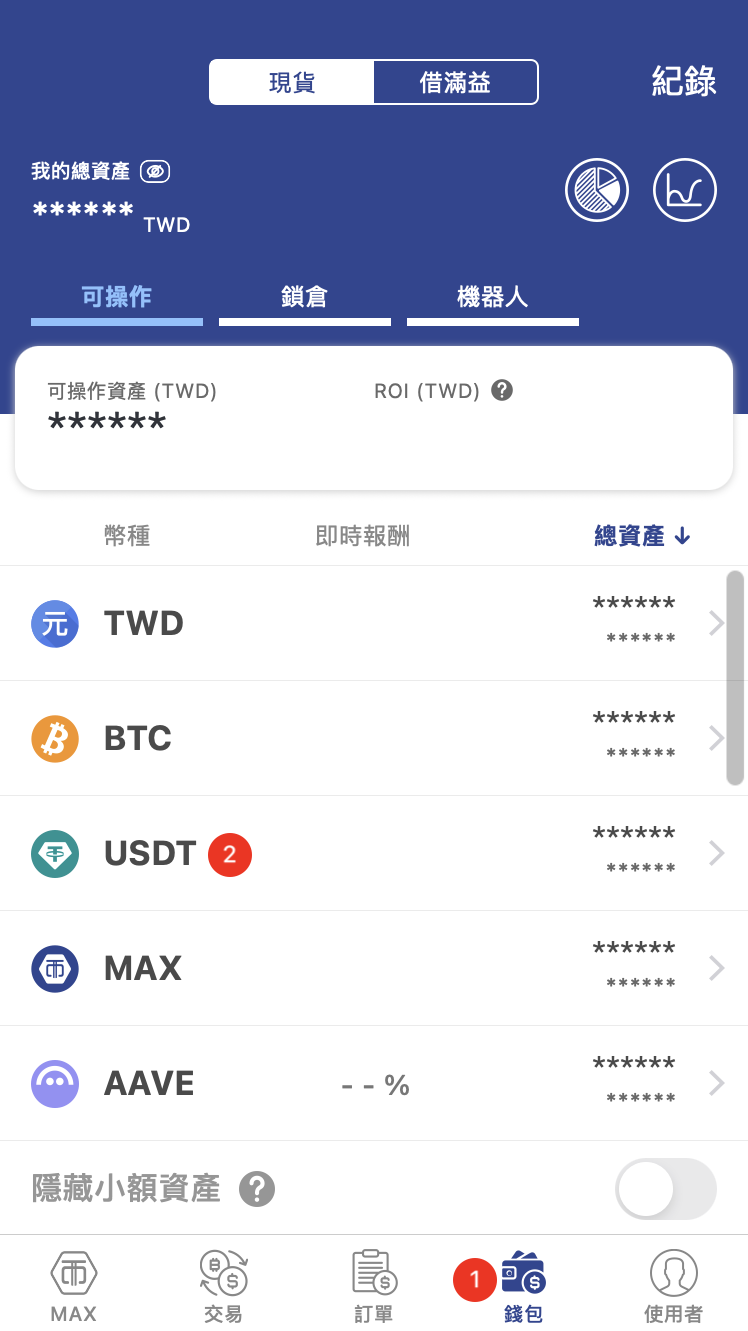 | 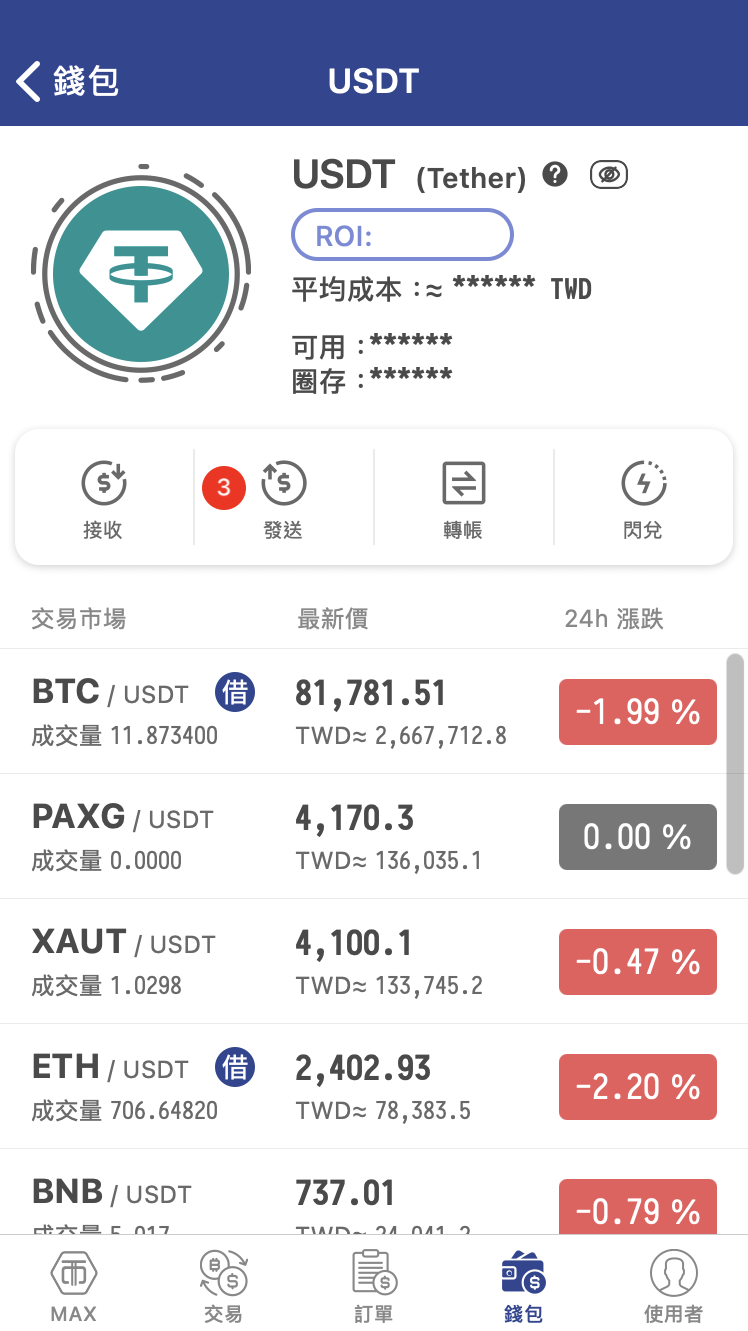 | 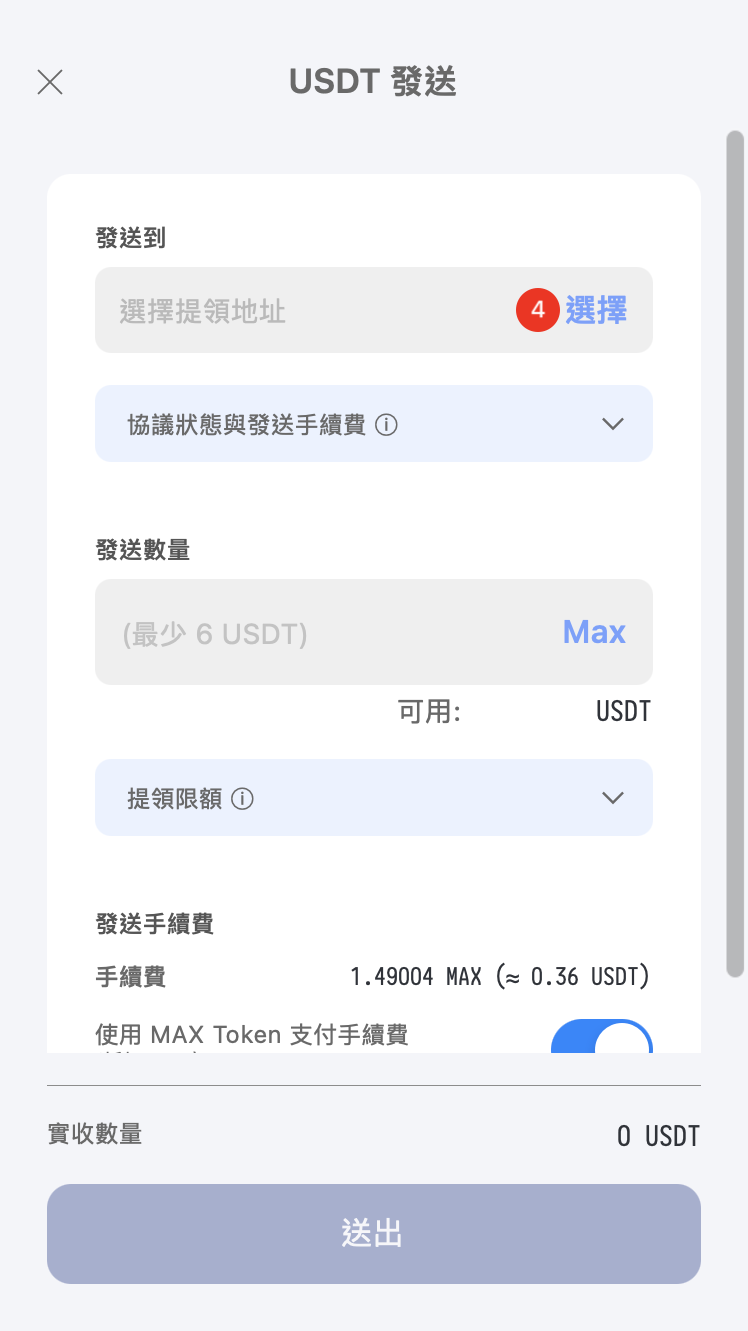 |
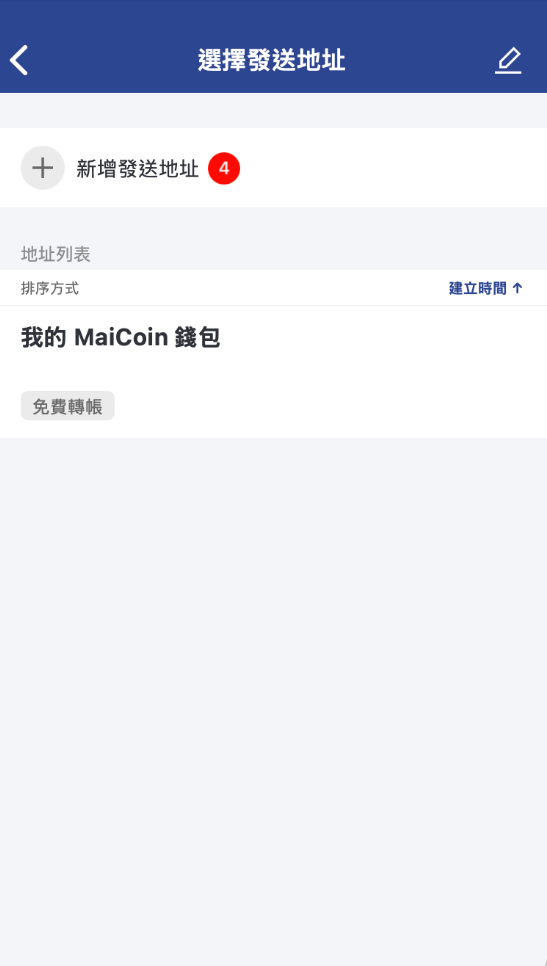 |  |  |
 |  |  |
 |  |